How to track your competitors for free, in 15 minutes a week

Your competitors show a lot of what they'll do next, in public: the people they hire, the news they put out and what their team posts. This guide shows where to look, what each signal usually means and how to check it all in 15 minutes a week, with free tools.
On this page
What are competitor signals?
They're public traces of what a competitor is about to do: a new job post, a piece of news, a post from their CEO. Alone, each one is a hint. Together, they show the plan.
Job posts are the strongest of them. Someone approved a salary for that role, so a job post is usually a budget decision, made public before the launch it's hiring for.
1. Job posts: what they're hiring for
There are three free places to see a competitor's open roles.
- Their careers page. Start here and bookmark it.
- The Jobs tab on their LinkedIn Page. All their open roles in one place. Follow the Page while you're there.
- Google. Many startups post their jobs on a job board like Lever or Greenhouse. Type
site:jobs.lever.coand the company name, and Google shows only their job posts there. Add a word, likeenterprise, to see only the roles about it.
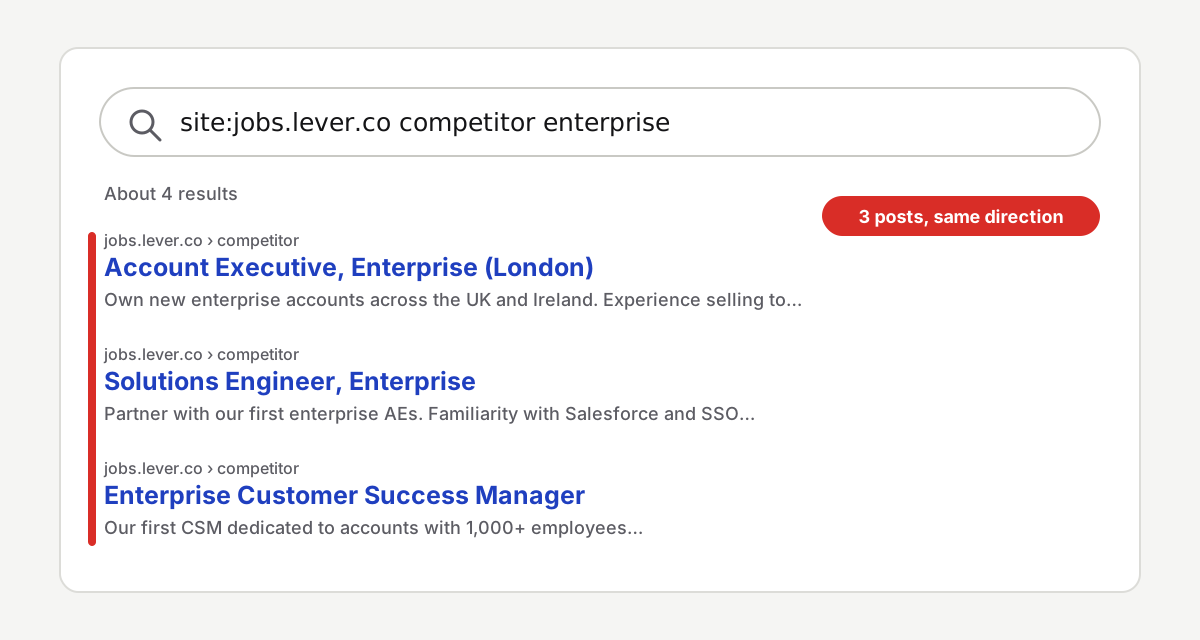
What each kind of job post usually means
- A first role in a new country. "Account Executive, DACH." They're probably testing that market. Check which of your accounts are there.
- Roles for a new segment or product. "AE, Enterprise." "Product Manager, Payments." If you've never seen that word from them, that's the bet.
- Lots of sales roles at once. Five AE posts in a month means more outbound, possibly into your customers.
- The tools in the requirements. "Experience with Salesforce and Snowflake." That's their stack, their integrations and the buyers they want.
2. Google Alerts: their news in your inbox
Google Alerts sends you an email when something new about the company shows up on the web. You set it up once.
- Go to google.com/alerts.
- Type the company name in quotes, like
"Competitor name". - Click Show options. Pick At most once a day and All results. "Only the best results" can filter out the small news you actually want.
- Click Create Alert.
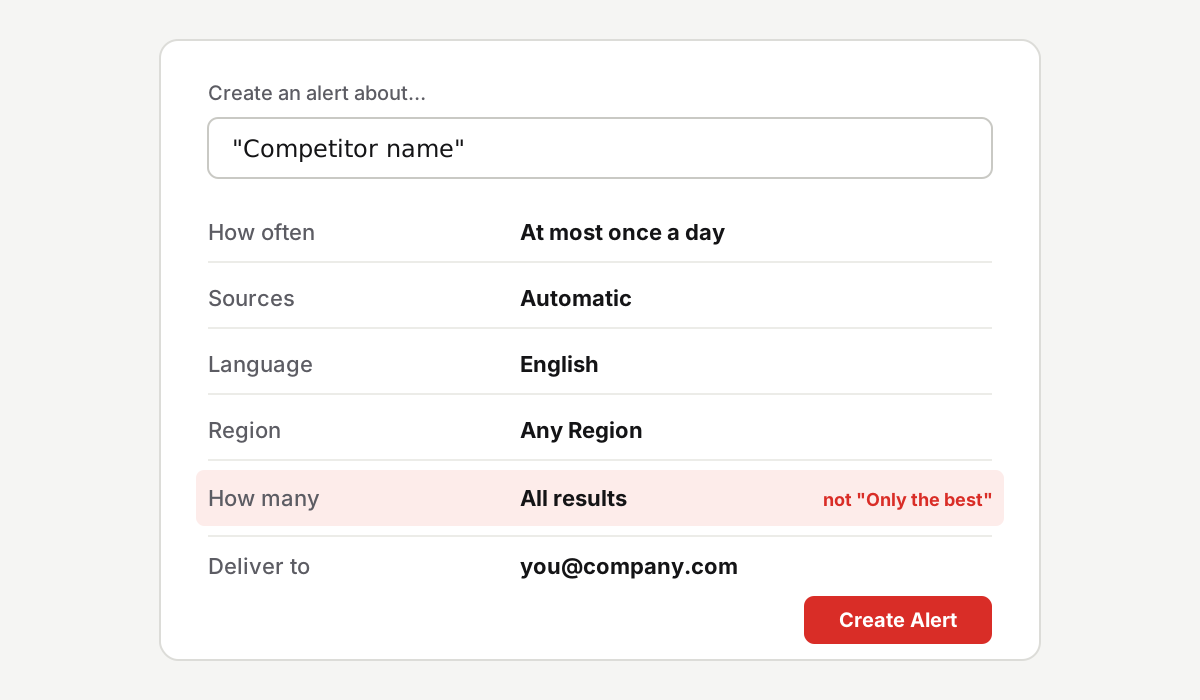
Keep: new plans, new integrations, new customers in your segment, funding, a new exec, a new country. Skip: awards and announcements with nothing inside.
3. LinkedIn and X: what their team posts
Companies post polished news. Their people often post it first, and with more detail. Follow four people per competitor: the CEO, the head of sales, the product lead and their recruiters.
- On LinkedIn, open each person's profile, click the bell and pick All. You get a notification when they post. LinkedIn says people aren't notified when someone subscribes to them.
- On X, put them in a list and set it to private. A private list is only visible to you, and you read it once a week instead of scrolling the feed.
What to look for: "we're hiring our first…", "welcome our new VP of…", "just signed our biggest… customer", a teaser for a launch, or a long complaint about a problem your product solves.
How to check it all in 15 minutes a week
Once everything is set up, the routine is three stops on Monday morning, before the pipeline call.
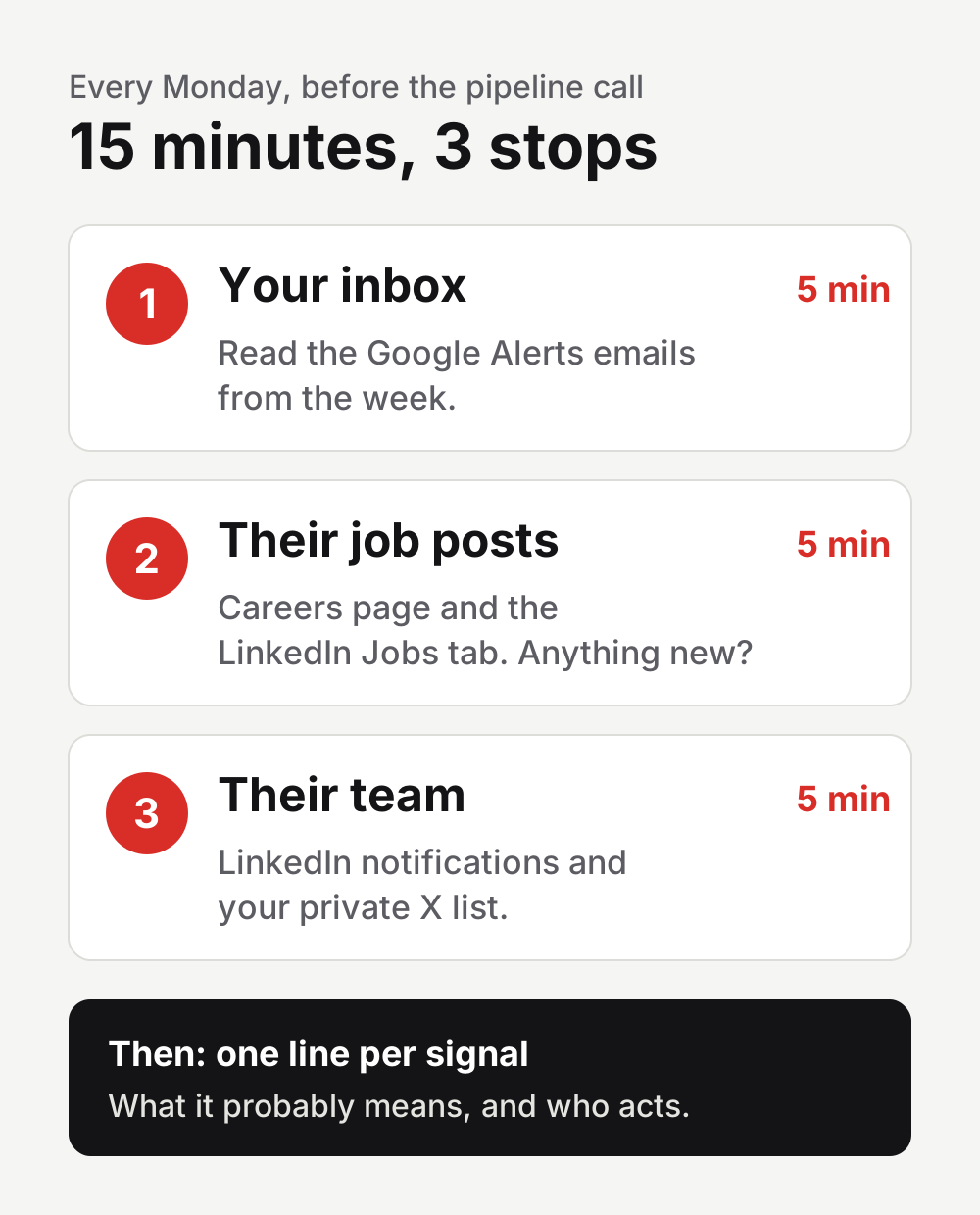
Then write one line per signal in a shared Slack channel: the date, the signal, the link, what it probably means and who acts. No deck.
What to do with each signal
| Signal | What it probably means | What to do | Who acts |
|---|---|---|---|
| First job post in a new country | Testing that market | List your accounts there and get to them first | Sales |
| Job posts for a new segment ("AE, Enterprise") | Moving into that segment | Update the battlecard for that buyer | Marketing + Sales |
| 5+ sales roles in a month | More outbound coming | Check renewals at risk and call those customers | CS |
| New tool in the requirements | Building for that stack | Check if you integrate with it | Product |
| A launch that closes a gap you sell against | Your old pitch stopped working | Rewrite that part of the pitch | Marketing |
| Exec posts "first customer in [industry]" | New vertical | Prepare a case in that vertical | Marketing |
Or let Tell do the reading
This works, and it costs you 15 minutes every Monday. Tell reads job posts, company news, LinkedIn and X for you and tells you which accounts to reach this week, and why, with the sentence and the link behind each signal. Your first report is free and takes about 2 minutes.
Questions
What are competitor signals?
Public traces of what a competitor will do next: job posts, news, launches and posts from their team. Alone, each one is a hint. Together, they show the plan.
Why are job posts such a good competitor signal?
Because a job post is a budget decision made public. It usually names the market, the segment and the tools, and it often goes live before the launch it's hiring for.
Can I track competitors without paid tools?
Yes. Their careers page, the LinkedIn Jobs tab, a Google search on the job boards, Google Alerts, the LinkedIn bell and a private X list cover most of it. What you pay with is time: about 15 minutes a week.
How many competitors should I track?
Start with the 3 you lose deals to most. Add more only when the weekly routine still fits in 15 minutes.